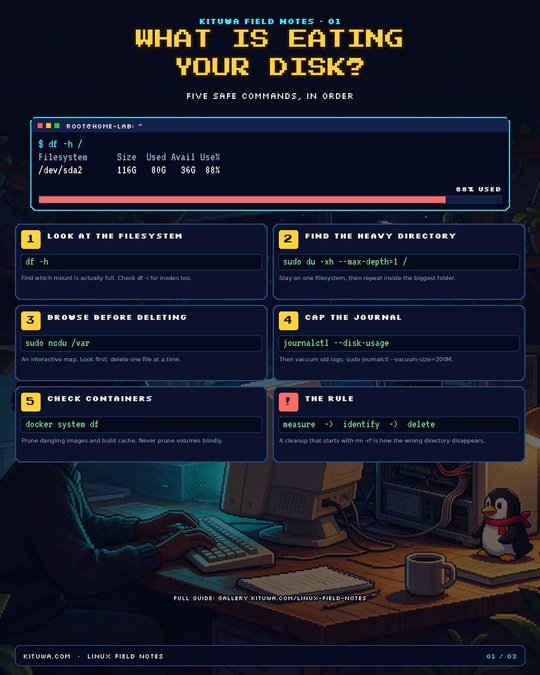
01 · Storage
What is eating your disk?
Five safe commands, in order. Find the real space hog without deleting the wrong directory.
Read the article →Three practical guides, each paired with an original pixel-art infographic in the style of the Kituwa posts that are working: dense, useful, and readable at a glance. The artwork is generated; the commands and labels are set deterministically so they cannot be mangled.
Start here: the images are the quick version. Open any guide for the full explanation, the exact commands, and the caveats.
Five safe commands, in order. Find the real space hog without deleting the wrong directory.
Read the article →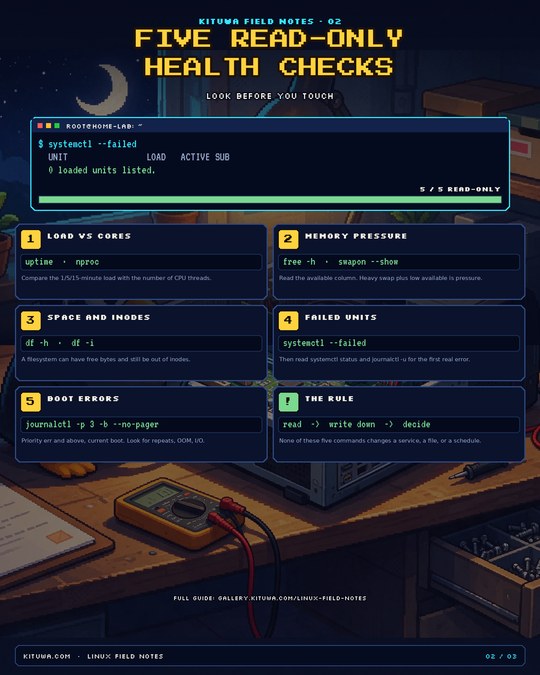
Look before you touch: load, memory, disk, failed units, and boot errors in five commands.
Read the article →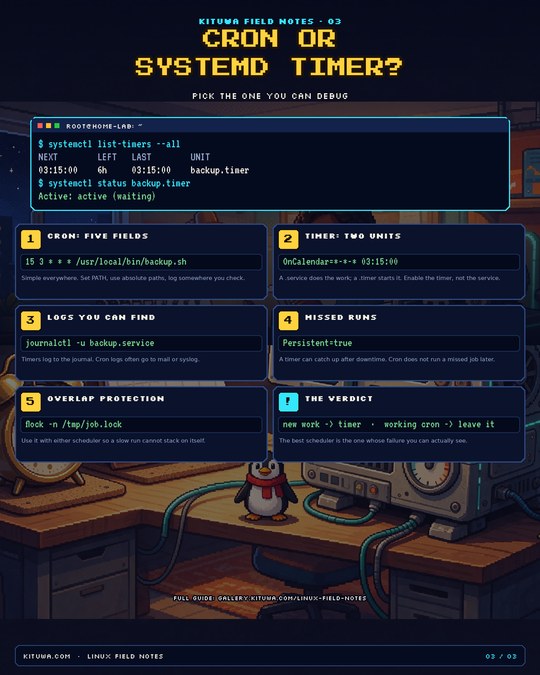
Two schedulers, one job. Pick the one whose failure you can actually see.
Read the article → Scan to open this page on a phone.