Cron or systemd timer?
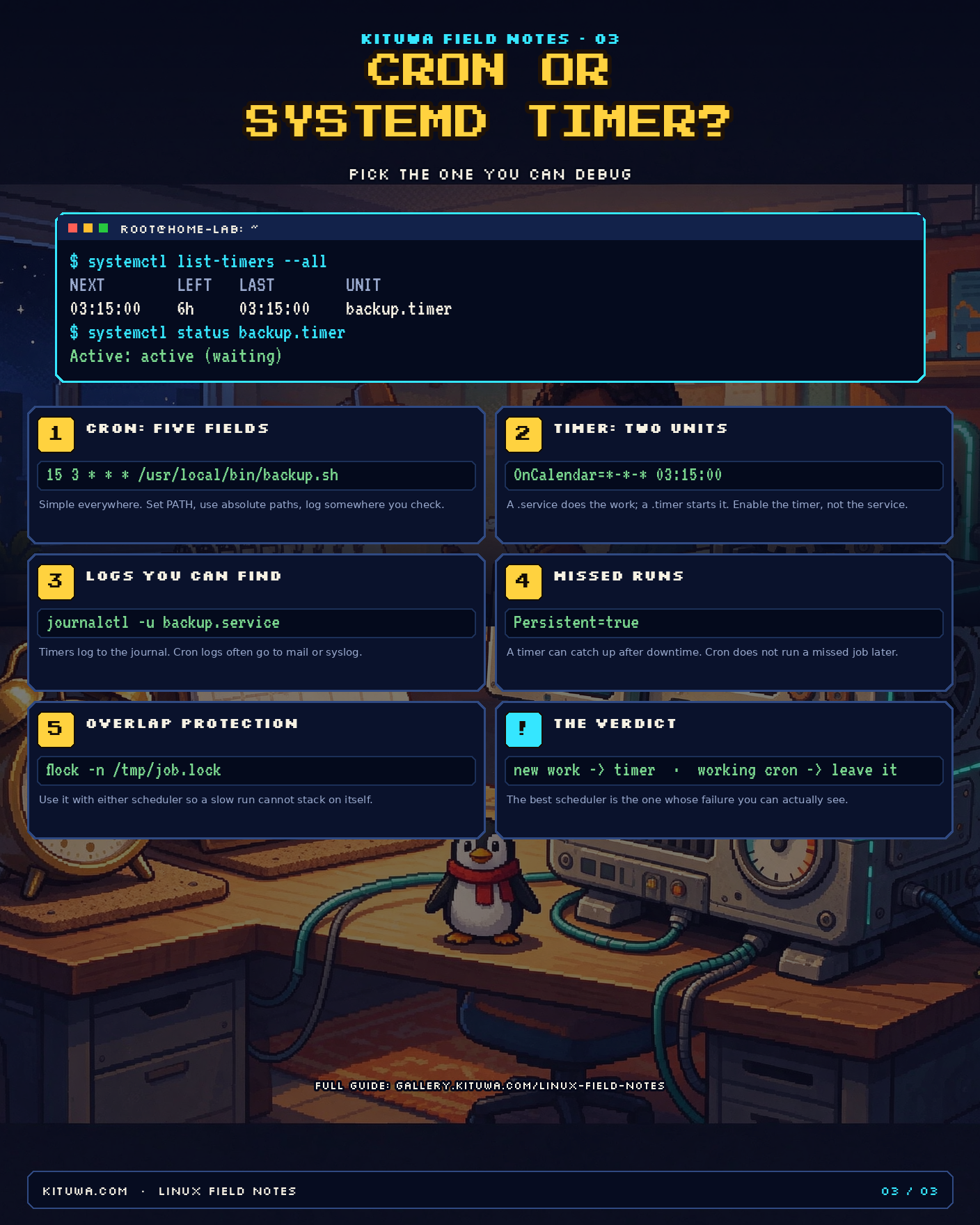
Linux has two common ways to run a job on a schedule: cron and systemd timers. Both work. The difference is not fashion; it is how much help you want when the job fails at 3 a.m.
Cron in one minute
Cron reads a five-field schedule:
minute hour day-of-month month day-of-week command
A nightly backup at 03:15 looks like this:
15 3 * * * /usr/local/bin/backup.sh
You can put it in a user crontab (crontab -e) or a system file under /etc/cron.d/. Cron is everywhere, including tiny systems that do not run systemd. It is simple, and that is its strength.
Its weaknesses are equally simple:
- The environment is minimal.
PATH,HOME, and locale may not be what you expect. - Logs often go to local mail or syslog, not to a place you check.
- There is no built-in overlap protection. A slow job can start again while the previous run is still going.
- There is no catch-up. If the machine is off at the scheduled time, the job does not run later.
Use absolute paths, set PATH explicitly, and wrap the command with flock when overlap matters:
15 3 * * * /usr/bin/flock -n /tmp/backup.lock /usr/local/bin/backup.sh
systemd timers in one minute
A timer needs two units: a service that does the work and a timer that starts it.
# /etc/systemd/system/backup.service
[Unit]
Description=Nightly backup

[Service]
Type=oneshot
User=backup
ExecStart=/usr/local/bin/backup.sh
# /etc/systemd/system/backup.timer
[Unit]
Description=Run the nightly backup

[Timer]
OnCalendar=*-*-* 03:15:00
Persistent=true
RandomizedDelaySec=300

[Install]
WantedBy=timers.target
Enable and start the timer:
sudo systemctl daemon-reload
sudo systemctl enable --now backup.timer
Why people choose timers:
systemctl list-timers --allshows the next and last run in one table.- Logs go to the journal:
journalctl -u backup.service. Persistent=trueruns a missed job after downtime.- Dependencies,
User=, sandboxing, and resource limits are part of the unit. RandomizedDelaySecavoids a thundering herd.
The cost is more files and a little more ceremony. For a one-line hobby job, that may be more than you need.
Side by side
| Question | Cron | systemd timer |
|---|---|---|
| Schedule syntax | five fields | OnCalendar= |
| Where it lives | crontab -e or /etc/cron.d |
.service + .timer |
| Logs | mail / syslog | journal |
| Missed run after downtime | no | Persistent=true |
| Overlap protection | flock |
Type=oneshot plus flock, or a service check |
| Next run | not built in | systemctl list-timers |
| Dependencies / sandboxing | no | yes |
| Works without systemd | yes | no |
How to debug each
Cron:
crontab -l
sudo systemctl status cron
grep CRON /var/log/syslog | tail -20
Timer:
systemctl list-timers --all
systemctl status backup.timer
systemctl status backup.service
journalctl -u backup.service -n 50 --no-pager
If a timer is not firing, check three things: the timer is enabled and active, the OnCalendar expression is valid (systemd-analyze calendar '*-*-* 03:15:00'), and the service itself succeeds when started manually.
The practical rule
- New scheduled work on a systemd host: use a timer. The logs and the next-run table are worth the extra files.
- Existing cron that works: leave it. Rewriting a working backup job is not a maintenance priority.
- Either way: use
flockfor jobs that must not overlap, log somewhere you will look, and test the job by running it once by hand.
The best scheduler is the one whose failure you can see.
Share this
 Scan to open this page on a phone.